Thursday, 20 September 2012

Review Check box


One good and necessary practice when developing software is the code review.

Code review it's an excellent process to reduce bugs in the code and to raise up the quality of the software you are working on.

Basically, it means that before committing your changes to the repository, you ask to another developer to look at your code and see if everything looks fine.

But what is everything?

Well, this can vary between companies standards, but the following can be a good starting point:

OVERALL DESIGN
(Is the current design the best design (i.e. is it scalable, maintainable, Are the algorithms following the best practise in order to have the best performances? etc.)       
FUNCTIONALITY
(Does the code do what is supposed to do? Are we covering all the possible cases?)       
CODE READABILITY
(Is the code EASY to understand? etc.)       
UNIT TEST   
(Are the tests covering all possible scenarios? Are the tests reusable? If the developed code does not have 100% code coverage, why not?)  
ACCEPTANCE CRITERIA    
(What are the Acceptance Criteria, and if the criteria haven't been expressed as an automated test, why not?)    
ERROR HANDLING
(Do we really need checked exceptions? etc.)
WARNING   
(Are the eclipse/intellij warnings acceptable?)
LOG      
(Is the log useful in order to find issue? Is the log communicating what is necessary? Etc.)

Print this list and stick it in each developer desk. It will help during the review process.

Wednesday, 19 September 2012

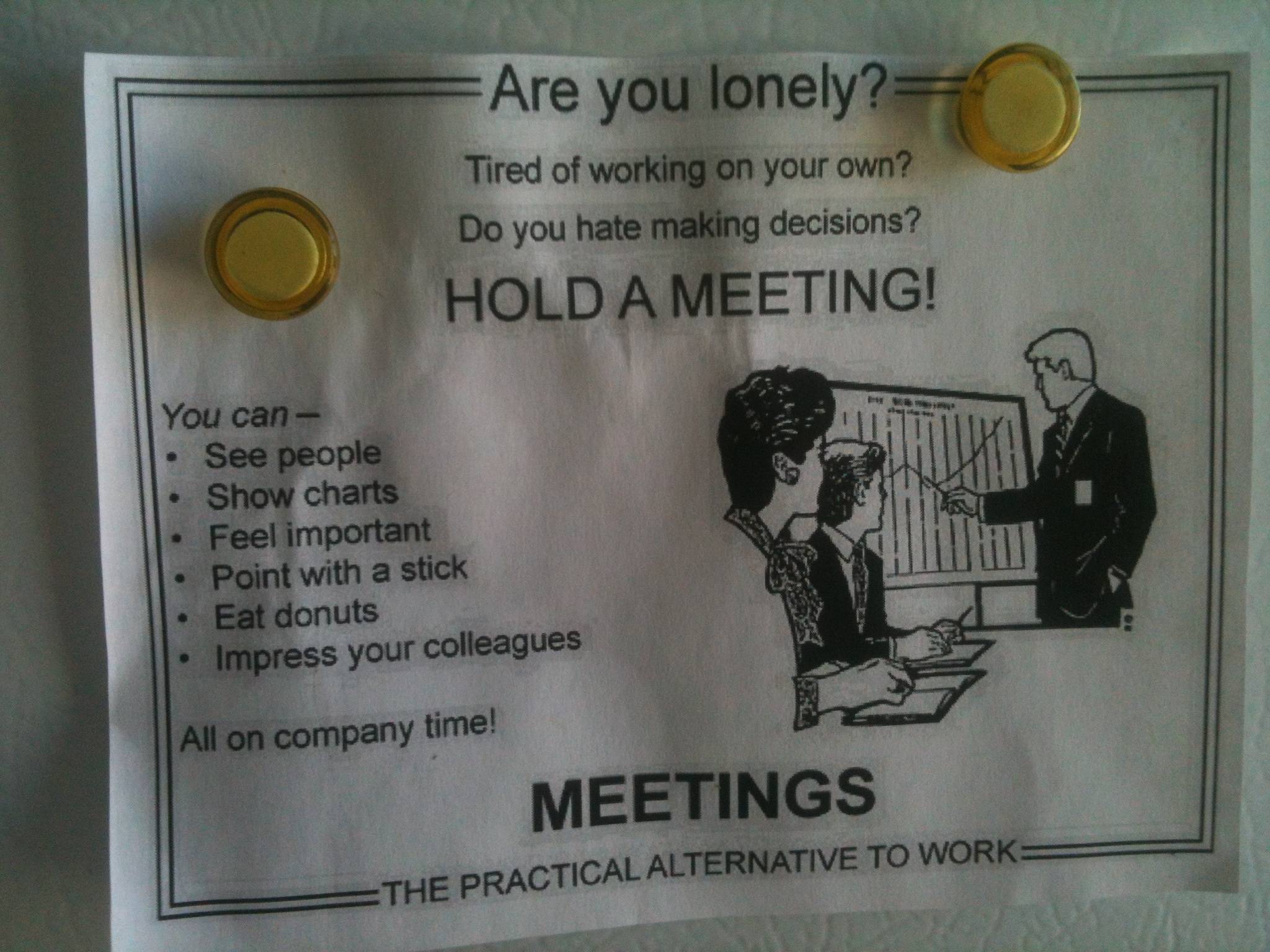
The Meetings ERA


You just opened your outlook calendar and you feel horrified from what you see??4 meetings in the same day??And maybe you really care about half of them??

I think it’s good to know how to handle meetings and these are few suggestions coming from Robert C. Martin in his “The clean coder” book.


I highlighted the key part on each paragraph, so if you are in rush you can just read the paragraph title and the part in bold ;)


Meetings

Meetings cost about $200 per hour per attendee. This takes into account salaries, benefits, facilities costs, and so forth. The next time you are in a meeting, calculate the cost. You may be amazed.
There are two truths about meeting.
  1. Meetings are necessary.
  2. Meetings are huge time wasters.
Often these two truths equally describe the same meeting. Some in attendance may find them invaluable; others may find them redundant or useless.
Professionals are aware of the high cost of meetings. They are also aware that their own time is precious; they have code to write and schedules to meet. Therefore, they actively resist attending meetings that don’t have an immediate and significant benefit.

Declining

You do not have to attend every meeting to which you are invited. Indeed, it is unprofessional to go to too many meetings. You need to use your time wisely. So be very careful about which meetings you attend and which you politely refuse.
The person inviting you to a meeting is not responsible for managing your time. Only you can do that. So when you receive a meeting invitation, don’t accept unless it is a meeting for which your participation is immediately and significantly necessary to the job you are doing now.
Sometimes the meeting will be about something that interests you, but is not immediately necessary. You will have to choose whether you can afford the time. Be careful—there may be more than enough of these meetings to consume your days.
Sometimes the meeting will be about something that you can contribute to but is not immediately significant to what you are currently doing. You will have to choose whether the loss to your project is worth the benefit to theirs. This may sound cynical, but your responsibility is to your projects first. Still, it is often good for one team to help another, so you may want to discuss your participation with your team and manager.
Sometimes your presence at the meeting will be requested by someone in authority, such as a very senior engineer in another project or the manager of a different project. You will have to choose whether that authority outweighs your work schedule. Again, your team and your supervisor can be of help in making that decision.
One of the most important duties of your manager is to keep you out of meetings. A good manager will be more than willing to defend your decision to decline attendance because that manager is just as concerned about your time as you are.

Leaving

Meetings don’t always go as planned. Sometimes you find yourself sitting in a meeting that you would have declined had you known more. Sometimes new topics get added, or somebody’s pet peeve dominates the discussion. Over the years I’ve developed a simple rule: When the meeting gets boring, leave.
Again, you have an obligation to manage your time well. If you find yourself stuck in a meeting that is not a good use of your time, you need to find a way to politely exit that meeting.
Clearly you should not storm out of a meeting exclaiming “This is boring!” There’s no need to be rude. You can simply ask, at an opportune moment, if your presence is still necessary. You can explain that you can’t afford a lot more time, and ask whether there is a way to expedite the discussion or shuffle the agenda.
The important thing to realize is that remaining in a meeting that has become a waste of time for you, and to which you can no longer significantly contribute, is unprofessional. You have an obligation to wisely spend your employer’s time and money, so it is not unprofessional to choose an appropriate moment to negotiate your exit.

Have an Agenda and a Goal

The reason we are willing to endure the cost of meetings is that we sometimes do need the participants together in a room to help achieve a specific goal. To use the participants’ time wisely, the meeting should have a clear agenda, with times for each topic and a stated goal.
If you are asked to go to a meeting, make sure you know what discussions are on the table, how much time is allotted for them, and what goal is to be achieved. If you can’t get a clear answer on these things, then politely decline to attend.
If you go to a meeting and you find that the agenda has been high-jacked or abandoned, you should request that the new topic be tabled and the agenda be followed. If this doesn’t happen, you should politely leave when possible.

Stand-Up Meetings

These meetings are part of the Agile cannon. Their name comes from the fact that the participants are expected to stand while the meeting is in session. Each participant takes a turn to answer three questions:
  1.  What did I do yesterday?
  2. What am I going to do today?
  3. What’s in my way?
That’s all. Each question should require no more than twenty seconds, so each participant should require no more than one minute. Even in a group of ten people this meeting should be over well before ten minutes has elapsed.

Iteration Planning Meetings

These are the most difficult meetings in the Agile canon to do well. Done poorly, they take far too much time. It takes skill to make these meetings go well, a skill that is well worth learning.
Iteration planning meetings are meant to select the backlog items that will be executed in the next iteration. Estimates should already be done for the candidate items. Assessment of business value should already be done. In really good organizations the acceptance/component tests will already be written, or at least sketched out.
The meeting should proceed quickly with each candidate backlog item being briefly discussed and then either selected or rejected. No more than five or ten minutes should be spent on any given item. If a longer discussion is needed, it should be scheduled for another time with a subset of the team.
My rule of thumb is that the meeting should take no more than 5% of the total time in the iteration. So for a one week iteration (forty hours) the meeting should be over within two hours.

Iteration Restrospective and Demo

These meetings are conducted at the end of each iteration. Team members discuss what went right and what went wrong. Stakeholders see a demo of the newly working features. These meetings can be badly abused and can soak up a lot of time, so schedule them 45 minutes before quitting time on the last day of the iteration. Allocate no more than 20 minutes for retrospective and 25 minutes for the demo. Remember, it’s only been a week or two so there shouldn’t be all that much to talk about.

Arguments/Disagreements

Kent Beck once told me something profound: “Any argument that can’t be settled in five minutes can’t be settled by arguing.” The reason it goes on so long is that there is no clear evidence supporting either side. The argument is probably religious, as opposed to factual.
Technical disagreements tend to go off into the stratosphere. Each party has all kinds of justifications for their position but seldom any data. Without data, any argument that doesn’t forge agreement within a few minutes (somewhere between five and thirty) simply won’t ever forge agreement. The only thing to do is to go get some data.
Some folks will try to win an argument by force of character. They might yell, or get in your face, or act condescending. It doesn’t matter; force of will doesn’t settle disagreements for long. Data does.
Some folks will be passive-aggressive. They’ll agree just to end the argument, and then sabotage the result by refusing to engage in the solution. They’ll say to themselves, “This is the way they wanted it, and now they’re going to get what they wanted.” This is probably the worst kind of unprofessional behavior there is. Never, ever do this. If you agree, then youmust engage.
How do you get the data you need to settle a disagreement? Sometimes you can run experiments, or do some simulation or modeling. But sometimes the best alternative is to simply flip a coin to choose one of the two paths in question.
If things work out, then that path was workable. If you get into trouble, you can back out and go down the other path. It would be wise to agree on a time as well as a set of criteria to help determine when the chosen path should be abandoned.
Beware of meetings that are really just a venue to vent a disagreement and to gather support for one side or the other. And avoid those where only one of the arguers is presenting.
If an argument must truly be settled, then ask each of the arguers to present their case to the team in five minutes or less. Then have the team vote. The whole meeting will take less than fifteen minutes.

Thursday, 30 August 2012

Some development tips and tricks


These are just some tips and tricks I learnt over my career that I'd like to share. This list does not contains silver bullets and it doesn't pretend to be complete or be an absolute truth. It's just a list that I hope may be helpful for someone.

1 )  Push the coding to the last

This point can be also be read as think before coding. I found myself, lots of times, especially in the beginning of my career, in rush of writing classes, methods, interfaces as soon as I was receiving a spec for a new functionality.
This impulse turned out 90% of the times into a PAINFUL situation. The spec was unclear and so unclear was my code; The spec was too "code oriented" and so blindly coding this was producing wrong design/ implementation that needed to be trashed out and completely re-designed;
Many other are the disadvantages of writing code straight away after receiving a spec. So, lesson learnt and this is what I'm doing now after receiving a spec/story to develop:
  1. I stay away from the keyboard!
  2. I print the spec (sorry amazonian jaguars ) and I take my time to read them carefully. Do not think that everything you will read there is exempt of mistakes or cannot be done in better and simpler ways. At the end of the day, people who wrote the specs, know little or nothing about the software, what they know is how to make more money with new functionality.
  3. If something is not clear to you, it will not clarify magically by itself if you start to code. Ask questions to other colleagues, to the business, clarify as much as possible and only when you feel confident, when you see the real pitcure of what they really want, then and only then you can switch the monitor on and click on the eclipse icon...

2 )  Simple = perfect

Make the 2 famous principles, KISS and YAGNI,   part of your blood, skin and bones. Strive for simplicity, forget about the trends,  focus on the most basic thing that will give you what is needed. Don't think straight about XML configuration, spring/seam framework, drools, aspects, multithreading solutions, ejbs, or whatever complex/cool technology you know or you heard out there, nobody really cares about the technologies you use.
What everyone cares is that your code does what is supposed to do, it is READABLE and it is MAINTAINABLE.
Pure java is enough to cover 90% or more of everything you need. Always code as if the person who ends up maintaining your code is a violent psychopath who knows where you live. Make him happy, write simple, clear straightforward code.
I remember I read somewhere that, if you read your code after 1 or 2 years and you immediately understand everything is doing and you cannot simplify it more, than your code is PERFECT.

3 )  Paper and pen

I never found a tool more useful than paper and pen to design software.
Before writing software I usually spend a bit of time trying to put the idea of the design down on paper.
I then , if in doubt, go through it with a colleague. Because it is on paper I can fast go to the point with my pair and he can quick tell me if I'm missing something.
Knowing that you are missing something in a piece of paper, it's far way better then knowing that you are missing something in the code!
So don't waste time using UML tools, unless what you are doing is big-fantastic-amazing-new  architectural prototype.

4 )  Don't leave for tomorrow what you can do today

If you are fixing a bug or adding new functionality and you notice in the existing code, DUPLICATION or BAD NAMES  or a POSSIBLE BUG then FIX IT IMMEDIATELY.
Don't wait for the next sprint and don't add a technical story in the technical backlog. Technical stories laid in the backlog for long time, when/if  it will be the time to work on it, it will be more complicated to re-understand the context of the problem and fix it.
The exception it's when the fix/refactoring is too complex and required long time, then it's appropriate to create a story in the technical backlog!

5 )  You have time!

Really, you have time! Don't rush. There is no competition and you are not at the programming Olympics.
Your job is to deliver good quality code. That's it. This is your job!
If you feel that a task takes longer that what you initially estimated, just make the team aware in the next stand up and that's it.
If a client/manager is screaming above your shoulders because he wants something faster than you can deliver, it's not your problem!!! When they say "I want this functionality to be ready asap" translated in Truthlish it means "I want this functionality to be PERFECT with NO BUGS asap". They will be happier to wait more and have less bugs than having a fast release full of issues.
So take your time and be intransigent on the quality level of your software and forget about external pressures!

6 ) Implement leaves first

So, you just received a brand new story to develop and you want to implement it right.
For example the story is about calculating item prices. One price for each item. Each price is obtained with a different calculation.
Choose one item price logic and as first thing write a unit test against this logic. Don't be stressed about implementing the whole design or writing interfaces, abstract classes etc. Focus on one small leaf per time!
When the first leaf is finished, start with a second test for the second small logic you want to implement. The design will come out almost by itself. The tests will tell you which direction is best to take.

7 ) Do Pair programming!

I fully applied this technique only recently (less than 1 year ago) and I have to say, it's powerful! It is twice productive than working alone, the quality of the code is superior, the development speed is increased.
A strength of this technique is the fact that is funny. being funny and so more stimulating means that you are more focused and you pay more attention to details.
You can learn a lot doing pair programming, so push for it as much as you can!

8 ) Rarely use checked Exceptions

Every time I use an API that force me to put around its method call the try and catch block, it makes me nervous, like a violent psychopath, but often I don't know where they leave. Especially if there is nothing I can do about the exception. What the hell I' m supposed to do with this error?
If you want to use checked Exception used them ONLY if the client can reasonably recover from it at run time! Remember that checked exceptions will spread all over your design in case you need to extend the behavior!

9 ) Say NO to Hacks

Programming is like sex. One mistake and you have to support it for the rest of your life. (Michael Sinz). And Hacks ARE mistakes!

Simply don't implement hacks. I did it in the past, for whatever reasons ( no time,pressure, desire to release a feature as soon as possible, managers screaming, Orcs, Leprechauns, whatever), and now after years we need to maintain them. Hacks are difficult to understand,they break the normal logic flow of your code and they are hard to die! You implement an hack today and tomorrow (1 year after maybe ) someone else will need to fix a bug on this hack and ..well good luck with that!
Spend more time on the spec if the hack is a business request, and explain why this will cost a lot to maintain. Propose other solutions, discuss it with your team, a better solution is on the way!

10 ) Forget about comments, just write proper names!

Write proper names when writing packages, classes, methods and variables.
Write names that make sense, ask a review before committing your code, but don't explain verbally what you have done, try first letting your reviewer read the code, and see how good you were in writing self explanatory code!
Comments need to be maintained, otherwise they are misleading. How often did you fix a bug in the code and you changed the class documentation?me, rarely!Use javadoc only if it is really necessary!and if you do,then remember to update them every time you change the code and enforce the same behavior in your team!

11 ) Reinvent the wheels

Read books, blogs, tutorial, etc as much as possible, but always with a critical and open mind! The same apply when listening to your team or leader. Don't be fooled by authorities, think always with your own mind.
If you decide to go for some approach it must be because you believe in it. Because you see good reasons to do so. If you feel that something could be done better or you see problems in the approach you are using , discuss it with your team and try to clarify your doubts. If after talking to the team you still feel that things should be done differently, then push for better approaches and fight for your ideas!
Sometimes, to progress, you need to reinvent the wheels or at this time we were all developing in FORTRAN.

Thursday, 2 August 2012

A simple way to test distributed applications

So, testing distributed applications is not easy, we all know it.
Too many variants to take in considerations which usually lead to an high instability of the tests.

Let say we have a front end application sending messages to a distribution engine which then forward the messages to other remote destinations. Sounds familiar?

OK so, how you test that messages travelling correctly trough all the predefined servers?

What if I want to keep my tests independent from any integration framework?

My solution is in the logs.
Why not rely on the logs to prove that your application is working as expected?

Logs are often underrated for performance/acceptance/smoke tests, but if correctly written, they can provide all the information you need to measure the status of your software at any point of its execution.

Testing relying on logs is a non intrusive way to test and no performances or anything will be affected. Applying this concept to an hypothetical integration test it's easy (at least in UNIX environments :) ), thanks to libraries like Grep4j:


import static org.grep4j.core.Grep4j.grep;
import static org.grep4j.core.Grep4j.regularExpression;
import static org.grep4j.core.fluent.Dictionary.on;
import static org.grep4j.core.fluent.Dictionary.executing;
...

@Test
public void aCreateMessageShouldPassThroughAllTheFinalDestinations() {
  List profiles =  Arrays.asList(distributionServerLog(),
                                 destination1ServerLog(),
                                 destination2ServerLog(),
                                 destination3ServerLog());

assertThat(executing(grep(regularExpression("MessageId(.*)Received"), on(profiles))).totalLines(), is(4));

}


As you can see, in a very simple way you have an efficient end-to-end test across different machines.

I think this approach is also a good option when you want to build acceptance or regression tests around legacy applications. You can treat your legacy app as a black box and just test the expected output in the log. 

Finally, I reckon this way of test will force the developers to standardize and uniform the way to log in the code which is always good :)

Sunday, 29 July 2012

Fluent mirror methods


How important is the readability of the code you write?
I think very important, probably one of the key to success in delivering good working and maintainable software.


This article is about a simple technique to help you and the people working on your code to fast understand what's happening.

I called this technique fluent mirror methods, and usually I wrap all these kind of methods in a single class called Dictionary. 

A fluent mirror method is a simple static method returning the same object passed. For example:

public static <T> T executing(T type) {
                return type;
        }

You can use these methods as follows:

import static org.grep4j.core.Grep4j.grep; 
import static org.grep4j.core.fluent.Dictionary.on;
import static org.grep4j.core.fluent.Dictionary.executing;
import static org.grep4j.core.fluent.Dictionary.expression;
import static org.grep4j.core.fluent.Dictionary.with;
...

assertThat(executing(grep(with(expression("Marco")), on(profile))).totalLines(), is(1));

Saturday, 28 July 2012

Step Builder pattern

Recently I wanted to implement a builder in my Grep4j API, but, as already happened in the past with the builder or other creational patterns, I was not completely satisfied with the result. A Builder pattern is a design you implement when you want to separate the creation of an object from its representation. For example, let say you have a Java Panino object composed of few ingredients:

package com.stepbuilder.bar;
import java.util.List;
public class Panino {

 private final String name;
 private String breadType;
 private String fish;
 private String cheese;
 private String meat;
 private List vegetables;

 public Panino(String name) {
  this.name = name;
 }

 public String getBreadType() {
  return breadType;
 }

 public void setBreadType(String breadType) {
  this.breadType = breadType;
 }

 public String getFish() {
  return fish;
 }

 public void setFish(String fish) {
  this.fish = fish;
 }

 public String getCheese() {
  return cheese;
 }

 public void setCheese(String cheese) {
  this.cheese = cheese;
 }

 public String getMeat() {
  return meat;
 }

 public void setMeat(String meat) {
  this.meat = meat;
 }

 public List getVegetables() {
  return vegetables;
 }

 public void setVegetables(List vegetables) {
  this.vegetables = vegetables;
 }

 public String getName() {
  return name;
 }

 @Override
 public String toString() {
  return "Panino [name=" + name + ", breadType=" + breadType + ", fish="
    + fish + ", cheese=" + cheese + ", meat=" + meat
    + ", vegetables=" + vegetables + "]";
 }
 
 
}
Now, in order to create a Panino you can write your Builder class that, more or less, will look like the following.

package com.stepbuilder.bar;
import java.util.ArrayList;
import java.util.List;
public class PaninoBuilder {
 
 private String name;
 private String breadType;
 private String fish;
 private String cheese;
 private String meat;
 private List vegetables = new ArrayList();

 public PaninoBuilder paninoCalled(String name){
  this.name = name;
  return this;
 }
 
 public PaninoBuilder breadType(String breadType){
  this.breadType = breadType;
  return this;
 }
 
 public PaninoBuilder withFish(String fish){
  this.fish = fish;
  return this;
 }
 
 public PaninoBuilder withCheese(String cheese){
  this.cheese = cheese;
  return this;
 }
 
 public PaninoBuilder withMeat(String meat){
  this.meat = meat;
  return this;
 }
 
 public PaninoBuilder withVegetable(String vegetable){  
  vegetables.add(vegetable);
  return this;
 }
 
 public Panino build(){  
  Panino panino = new Panino(name);
  panino.setBreadType(breadType);
  panino.setCheese(cheese);
  panino.setFish(fish);
  panino.setMeat(meat);
  panino.setVegetables(vegetables);
  return panino;
 }
 }
A user will be then able to nicely build a Panino using this builder.

package com.stepbuilder.bar.client;
import com.stepbuilder.bar.Panino;
import com.stepbuilder.bar.PaninoBuilder;
public class Bar {

 public static void main(String[] args) {
  Panino marcoPanino = new PaninoBuilder().paninoCalled("marcoPanino")
    .breadType("baguette").withCheese("gorgonzola").withMeat("ham")
    .withVegetable("tomatos").build();

  System.out.println(marcoPanino);
 }
}
So far so good.
But what I don't like of the traditional Builder pattern is the following:


  • It does not really guide the user through the creation.
  • A user can always call the build method in any moment, even without the needed information. 
  • There is no way to guide the user from a creation path instead of another based on conditions. 
  • There is always the risk to leave your object in an inconsistent state.
  • All methods are always available, leaving the responsibility of which to use and when to use to the user who did not write the api.

For instance, in the Panino example, a user could write something like this:

package com.stepbuilder.bar.client;
import com.stepbuilder.bar.Panino;
import com.stepbuilder.bar.PaninoBuilder;
public class Bar {

 public static void main(String[] args) {
  Panino marcoPanino = new PaninoBuilder().paninoCalled("marcoPanino")
    .withCheese("gorgonzola").build();

  // or
  marcoPanino = new PaninoBuilder().withCheese("gorgonzola").build();
  // or
  marcoPanino = new PaninoBuilder().withMeat("ham").build();
  // or
  marcoPanino = new PaninoBuilder().build();
 }
}
All the above panino instances are wrong, and the user will not know until runtime when he will use the Panino object.
You can put a validation in the build method of course, but still a user will be not able to recover from a badly builder usage.
You could also put default values around all the required properties, but then the readability of the code will be lost ( new PaninoBuilder().build(); what are you building here?) and often you really need some input from the user (a user and password for a connection for example).

So here is my solution called Step builder, an extension of the Builder patter that fully guides the user through the creation of the object with no chances of confusion.


package com.stepbuilder.bar;
import java.util.ArrayList;
import java.util.List;
public class PaninoStepBuilder {

        public static FirstNameStep newBuilder() {
                return new Steps();
        }

        private PaninoStepBuilder() {
        }

        /**
         * First Builder Step in charge of the Panino name. 
         * Next Step available : BreadTypeStep
         */
        public static interface FirstNameStep {
                BreadTypeStep paninoCalled(String name);
        }

        /**
         * This step is in charge of the BreadType. 
         * Next Step available : MainFillingStep
         */
        public static interface BreadTypeStep {
                MainFillingStep breadType(String breadType);
        }

        /**
         * This step is in charge of setting the main filling (meat or fish). 
         * Meat choice : Next Step available : CheeseStep 
         * Fish choice : Next Step available : VegetableStep
         */
        public static interface MainFillingStep {
                CheeseStep meat(String meat);

                VegetableStep fish(String fish);
        }

        /**
         * This step is in charge of the cheese. 
         * Next Step available : VegetableStep
         */
        public static interface CheeseStep {
                VegetableStep noCheesePlease();

                VegetableStep withCheese(String cheese);
        }

        /**
         * This step is in charge of vegetables. 
         * Next Step available : BuildStep
         */
        public static interface VegetableStep {
                BuildStep noMoreVegetablesPlease();

                BuildStep noVegetablesPlease();

                VegetableStep addVegetable(String vegetable);
        }

        /**
         * This is the final step in charge of building the Panino Object.
         * Validation should be here.
         */
        public static interface BuildStep {
                Panino build();
        }

        private static class Steps implements FirstNameStep, BreadTypeStep, MainFillingStep, CheeseStep, VegetableStep, BuildStep {

                private String name;
                private String breadType;
                private String meat;
                private String fish;
                private String cheese;
                private final List<String> vegetables = new ArrayList<String>();

                public BreadTypeStep paninoCalled(String name) {
                        this.name = name;
                        return this;
                }

                public MainFillingStep breadType(String breadType) {
                        this.breadType = breadType;
                        return this;
                }

                public CheeseStep meat(String meat) {
                        this.meat = meat;
                        return this;
                }

                public VegetableStep fish(String fish) {
                        this.fish = fish;
                        return this;
                }

                public BuildStep noMoreVegetablesPlease() {
                        return this;
                }

                public BuildStep noVegetablesPlease() {
                        return this;
                }

                public VegetableStep addVegetable(String vegetable) {
                        this.vegetables.add(vegetable);
                        return this;
                }

                public VegetableStep noCheesePlease() {
                        return this;
                }

                public VegetableStep withCheese(String cheese) {
                        this.cheese = cheese;
                        return this;
                }

                public Panino build() {
                        Panino panino = new Panino(name);
                        panino.setBreadType(breadType);
                        if (fish != null) {
                                panino.setFish(fish);
                        } else {
                                panino.setMeat(meat);
                        }
                        if (cheese != null) {
                                panino.setCheese(cheese);
                        }
                        if (!vegetables.isEmpty()) {
                                panino.setVegetables(vegetables);
                        }
                        return panino;
                }

        }
}


The concept is simple:

  1. Write creational steps inner classes or interfaces where each method knows what can be displayed next.
  2. Implement all your steps interfaces in an inner static class.
  3. Last step is the BuildStep, in charge of creating the object you need to build.

The user experience will be much more improved by the fact that he will only see the next step methods available, NO build method until is the right time to build the object.

package com.stepbuilder.bar.client;
import com.stepbuilder.bar.Panino;
import com.stepbuilder.bar.PaninoBuilder;
import com.stepbuilder.bar.PaninoStepBuilder;
public class Bar {

 public static void main(String[] args) {
  Panino solePanino = PaninoStepBuilder.newBuilder()
        .paninoCalled("sole panino")
        .breadType("baguette")
        .fish("sole")
        .addVegetable("tomato")
        .addVegetable("lettece")
        .noMoreVegetablesPlease()
        .build();

  
 }
}
The user will not be able to call the method breadType(String breadType) before calling the paninoCalled(String name) method, and so on.
Plus, using this pattern, if the user choose a fish panino, I will not give him the possibility to add cheese (i'm the chef, I know how to prepare a panino).
In the end, I will have  a consistent Object and user will find extremely easy to use the API because he will have very few and selected choices per time.

We could have different panino traditional builders, FishPaninoBuilder, MeatPaninoBuilder, etc, but still we would face the inconsistent problems and the user will still need to understand exactly what was your idea behind the builder.
With the Step Builder the user will know without any doubt what input is required, making his and your life easier.